

Multi-Factor Authentication (MFA) is a core security requirement in NIST SP 800-171; however, it’s also one of the most frequently misinterpreted controls.
This guide breaks down what 3.5.3 means in plain language, and then walks through what implementation and evidence collection look like inside ASCERA step-by-step.
What is Control IA.L2-3.5.3 – Multifactor Authentication?
Control IA.L2-3.5.3 – Multifactor Authentication states that organizations must use multifactor authentication for local and network access to privileged accounts and for network access to non-privileged accounts.
Put simply, the purpose of this control is to require users to authenticate using multiple factors (e.g. password + security token, biometric + PIN) before accessing systems. This reduces the risk of unauthorized access caused by password compromise, credential theft, or brute-force attacks.
Control 3.5.3 applies differently based on account type and access method. All privileged accounts must use multifactor authentication for both local access and network access. Non-privileged accounts must use multifactor authentication when accessing systems over a network.
Understanding Local and Network Access
NIST defines access types as either local access or network access. Local access is access obtained by direct connections without the use of networks. Network access is access obtained through network connections, including remote access through external networks.
Examples include:
- A user opening an application installed directly on their laptop, which is local access
- A user opening a file hosted on a server or in SharePoint, which is network access
Because most modern environments rely heavily on network-based systems, many access scenarios fall under network access. If there is uncertainty whether an access scenario is local or network-based, a conservative approach is to treat it as network access and enforce multifactor authentication.
3.5.3 Assessment Objectives
When assessing this control, the following must be determinable:
-
Privileged accounts are identified (a)
-
Multifactor authentication is implemented for local access to privileged accounts (b)
-
Multifactor authentication is implemented for network access to privileged accounts (c)
-
Multifactor authentication is implemented for network access to non-privileged accounts (d)
Evidence must demonstrate that these conditions are met across applicable systems.
Discussion from NIST 800-171
Multifactor authentication requires the use of at least two different factor types:
- Something you know (e.g., password or PIN),
- Something you have (cryptographic token or device),
- Something you are (biometric identifier).
Some MFA solutions include hardware authenticators, smart cards, or authenticator applications. MFA may be applied at the system logon level or, when needed, at the application level to provide additional protection.
Common Ways to Meet Control 3.5.3
Organizations can satisfy this control if they:
- Require MFA for Administrator and Privileged Accounts: Ensure that all local and remote administrative access requires at least two authentication factors.
- Implement MFA for Remote Users and VPN Access: Enforce multi-factor authentication for remote access solutions, including VPNs, cloud platforms, and web applications.
- Use Strong Authentication Methods: Implement MFA solutions such as hardware tokens (YubiKey), authenticator apps (Google Authenticator, Microsoft Authenticator), biometrics (fingerprint, facial recognition), or smart cards (CAC, PIV).
- Enforce MFA for Non-Privileged Users Accessing the Network: Require MFA for all remote workers, contractors, or cloud-based access.
- Deploy Identity and Access Management (IAM) Solutions: Use Active Directory (AD) MFA, Azure AD, Okta, Duo Security, or similar IAM platforms to manage authentication policies.
- Monitor and Log MFA Authentication Events: Use Security Information and Event Management (SIEM) solutions to track authentication attempts and detect suspicious access patterns.
- Educate Users on MFA Security Best Practices: Train users on the importance of MFA, how to set up authentication factors securely, and how to avoid phishing attacks targeting MFA bypass.
-
These approaches reflect standard control implementation patterns described in the source material.
What Assessors Look For
Assessors typically review:
- Documented authentication policies, specifying MFA requirements for privileged and non-privileged accounts.
- System configurations enforcing MFA, including Active Directory, IAM platforms, or cloud-based authentication solutions.
- Logs of authentication attempts, verifying that MFA is applied to privileged local/network access and non-privileged network access.
- Records of MFA enforcement settings, ensuring that users cannot bypass or disable MFA.
- Incident response records, demonstrating how unauthorized access attempts were mitigated using MFA logs and alerts.
- Security awareness training materials, confirming that users understand MFA requirements and how to use authentication factors securely.
Potential Assessment Methods
Assessors may examine, interview, or test the following:
Examine
Identification and authentication policy; procedures addressing user identification and authentication; system security plan; system design documentation; system configuration settings and associated documentation; system audit logs and records; list of system accounts; other relevant documents or records.
Interview
Personnel with authenticator management responsibilities; personnel with information security responsibilities; system or network administrators.
Test
Mechanisms supporting or implementing authenticator management capability.
Walkthrough: Viewing and Documenting 3.5.3 Inside ASCERA
After implementing MFA, organizations must document enforcement to meet assessment demands. Below is how the control content above appears when viewed and supported inside ASCERA.
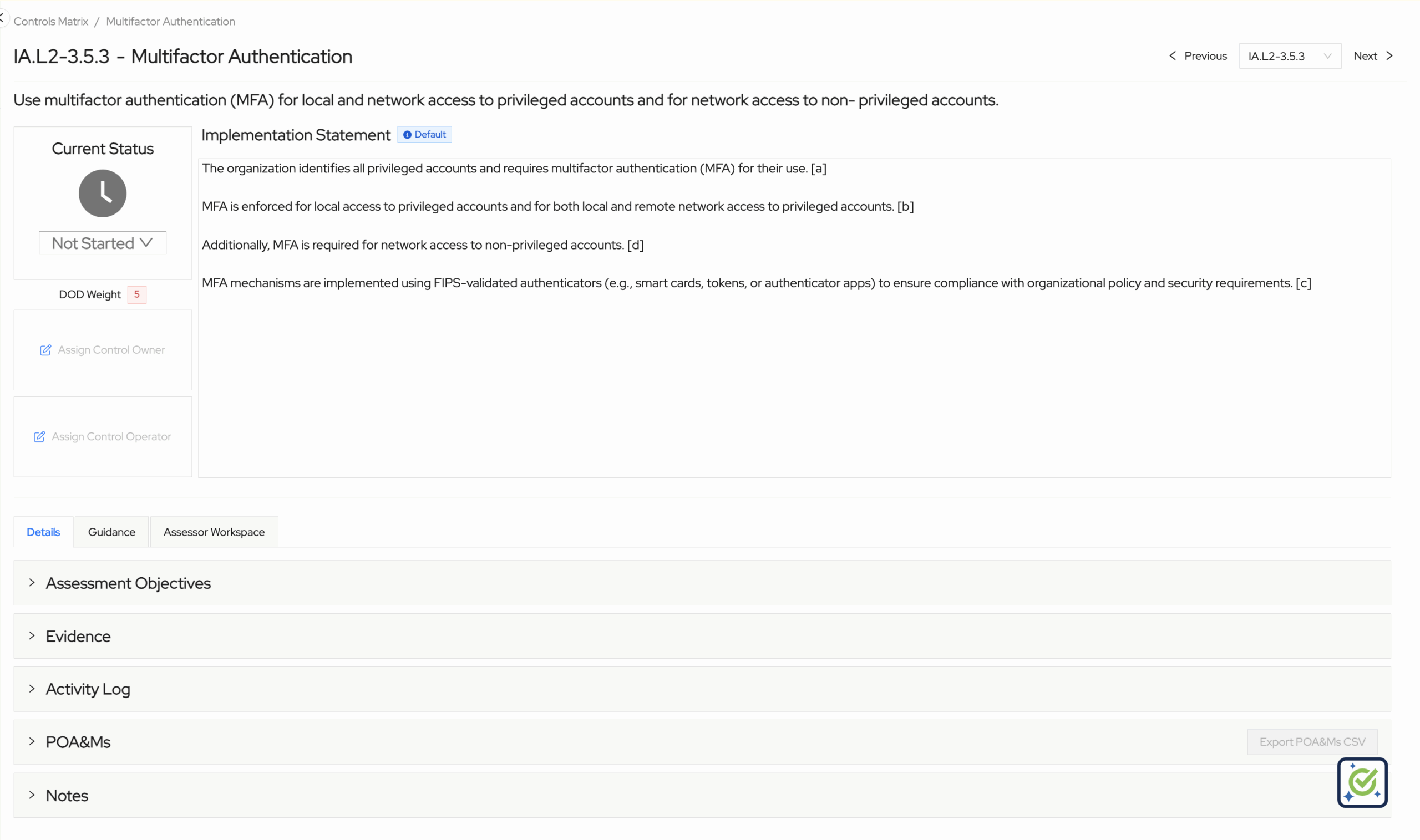
Opening the Control in ASCERA
The overview page for control IA.L2-3.5.3 in ASCERA displays:
- The official practice requirement
- A default implementation statement
- Current status
- DoD weight
- Control owners and operators
- Dedicated tabs for objectives, evidence, activity log, POA&Ms, and notes
- A guidance tab with in-depth information on how to meet the control
- A dedicated assessor workspace
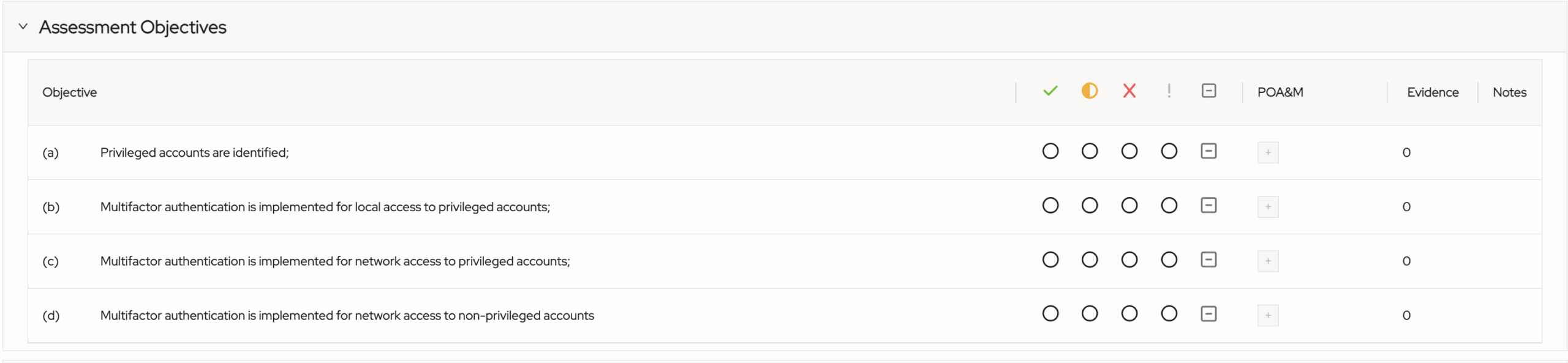
Managing Control Objectives in ASCERA
ASCERA provides a dedicated assessment objectives tab for users to track progress with each individual objective within the control:
Uploading Control Evidence in ASCERA
ASCERA allows users to directly upload evidence for the control and automatically map evidence across any other relevant controls:

Accessing Control Guidance in ASCERA
Every control in ASCERA contains in-depth written and video guidance:

Conclusion
CMMC control 3.5.3 Multifactor Authentication doesn’t have to be confusing. By following the above guidance, your organize can ensure a passing status.
ASCERA makes it easy for organizations to manage complex controls like 3.5.3. Want a free trial or a demo? Get in touch today and we’d love to share how ASCERA can help.